
Impulse response reverbs are one of the handiest tools in the digital-audio junk drawer. If you’re new to the concept, prepare to be amazed. (And if you’re familiar with the technology, jump to the end of this post to score some cool free reverb sounds.)
Impulse response reverbs, also known as IR or convolution reverbs, fake the sounds of genuine acoustic spaces. Say you want to be make your tracks sound as if they were recorded in a 12th-century dungeon: Just visit your nearest medieval castle and set up a small PA system in the dungeon. Next, play a test signal (usually a sine-wave sweep or a starter-pistol shot) and make a recording of it echoing in the space. Back at your studio, your IR software compares the new recording to the original test tone, and creates a reverb preset that you can apply to any audio source. Just slap it on a guitar track, say, and voilà — you’re rocking out in the dungeon, minus rats, mildew, and torture implements.
But wait, there’s more! You can use the same technology to mimic hardware effects and speakers. Just run the test signal through an amp or effect, and you’ll have a digital clone of the physical device. Here’s a brief video demonstrating the idea:
If you use amp modelers, there’s a good chance you already use impulse responses, since they are one method modelers use to mimic amps and speakers. But you need a dedicated impulse-response reverb plug-in to make and mutate your own IRs. In the video I used the one included with Apple’s Logic Pro, but there are number of free IR reverb plug-ins available for both Mac and PC.
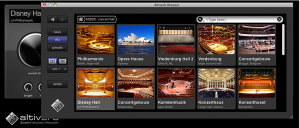
They all sound about the same — the key distinction between the freebies and the premium plug-ins is the quantity and quality of the included IR library. For example, Audio Ease’s Altiverb costs over 500 bucks, but includes an unrivaled collection of modeled spaces, including many of the world’s greatest concert stages and recording studios, plus fascinating stuff, like Wendy Carlos’s plate reverb and the Bill Putnam echo chamber used on a huge percentage of LA rock hits of the ’60s. (FYI, Audio Ease’s impulse responses are copy-protected, and can only be used in Altiverb.)
Another cool option for Mac users is Space Designer, which is included with Logic Pro, whose retail price has just been slashed to US$199. [DISCLOSURE: I’ve been a compensated contributor for both Altiverb and Logic Pro. Or to put it another way, if you buy either program, you get some cool IRs I’ve made.  ]
]
(At this point, conniving minds may should be thinking: “Hmm — can I run a test signal through my friend’s Marshall plexi, and have an instant stack-in-the-box?” Sadly, no — IRs only capture static states, and can’t mimic anything as complex as an amp, whose tonal response varies dramatically according to the input signal. The responses of rooms, speakers, and effect hardware also change according to input, but much less obviously. Some listeners say they respond negatively to the static quality of IR reverbs, but I’m not one of them. Also, FYI, the latest version of Altiverb includes an LFO modulator that can add a lifelike touch of randomness.)
You can read more about impulse responses in this Wikipedia article about impulse responses, and this one about convolution reverb — all written by people who, unlike me, actually understand the math.
All I know is, IR reverbs are frickin’ cool. Have a few on me: Here are impulse responses for the three sounds heard in the demo video: the goopy Baldwin amp reverb, the claustrophobic styrofoam box, and the lush Real Tube stereo spring reverb. The zipped file includes both AIFF files for Mac geeks and WAVs for PC droids. Consult your plug-in documentation for installation instructions.
Free Tonefiend Impulse Responses (2.2MB download)
Kids, do try this at home. And be sure to share the results with your tonefiend.com classmates!


Leave a Reply